Did you know that creators have already generated over 40 million AI videos using Google’s Veo models? If you are pivoting to AI-assisted filmmaking, mastering the right production environment is essential.
Google Flow is an advanced AI creative studio built for filmmakers and designers to generate, refine, and compose cinematic videos using text and image prompts.
Powered by Veo 3.1 and the Nano Banana 2 image model, Flow allows you to stitch scenes, control camera angles, and manage assets in one unified workspace.
What is Google Flow and How Does It Work?
Google Flow acts as a comprehensive video production ecosystem within the broader Google Labs environment. It replaces fragmented, multi-app workflows by bringing generative AI models under a single, cohesive roof.
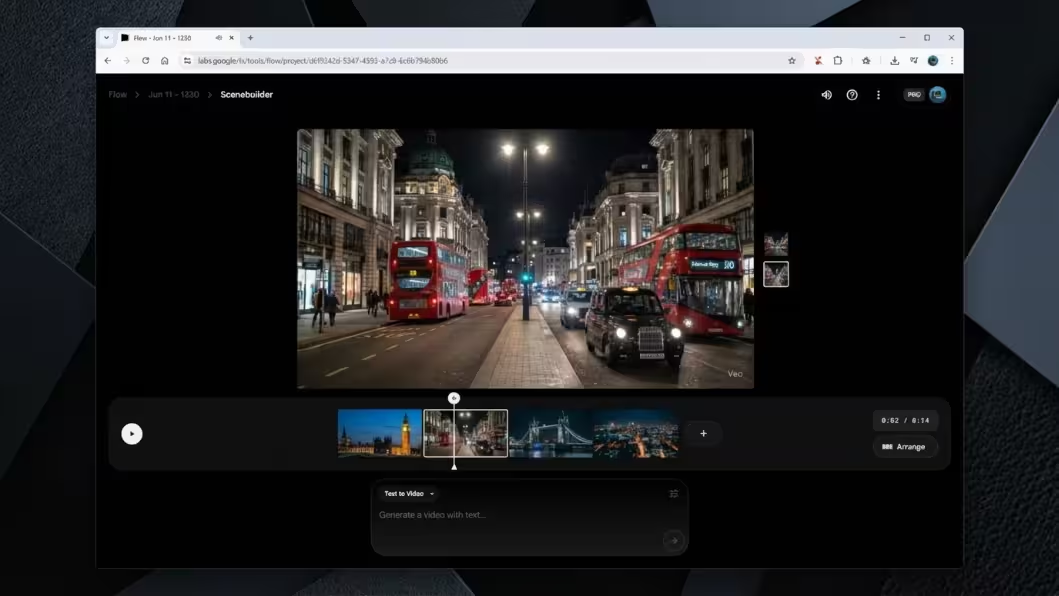
Creators can utilise features like Scenebuilder to seamlessly stitch clips together without losing narrative focus. You can instantly swap background objects, mask out unwanted elements, and direct virtual camera movements with simple text prompts.
By functioning as an all-in-one studio, it eliminates the need to constantly export and re-import files into secondary editing programmes.
The Power of Nano Banana 2
Nano Banana 2 (officially Gemini 3.1 Flash Image) serves as the new default image generation engine within the Flow interface. It combines the studio-quality outputs of its predecessor, Nano Banana Pro, with unprecedented generation speeds.
- Lightning-Fast Iteration: The flash-speed architecture generates visuals almost instantly, allowing you to prototype storyboards without breaking your creative rhythm.
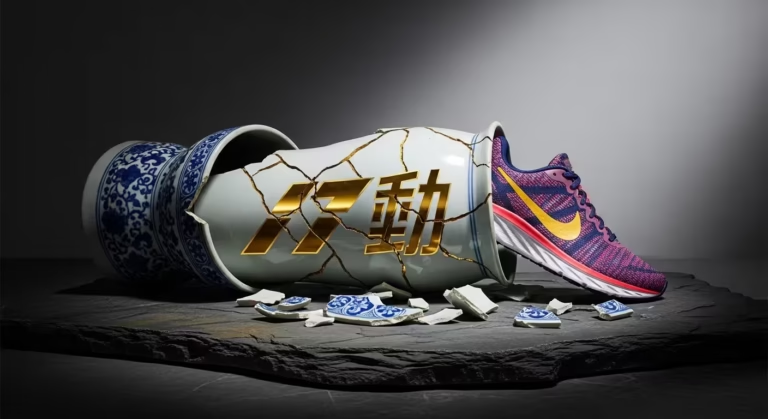
- Precise Text Rendering: You can reliably render highly legible, localised text on signs, products, or props directly within your generated scenes.
- Zero-Credit Cost: Generating these foundational images directly within Flow costs zero credits, which dramatically optimises your Google AI subscription value.
7 Ways Nano Banana 2 Optimises Video Workflows in 2026
Are you struggling to maintain visual consistency across your generative AI projects? Google Flow is an advanced creative workspace that fully integrates the Nano Banana 2 (officially Gemini 3.1 Flash Image) engine to generate, seamlessly edit, and composite professional-grade visuals and video storyboards.
By harnessing Nano Banana 2’s state-of-the-art text-to-image, image-to-image, and style transfer capabilities, Flow allows designers to direct entire visual campaigns from a single, unified interface.
Instead of treating image generation as a one-off task, Flow uses this engine dynamically to build interconnected scenes.
By acting as the foundational layer, Nano Banana 2 provides the raw visual data that powers the entire Flow ecosystem.
1. Multi-Image-to-Image Composition
The most significant leap forward is Flow’s use of Nano Banana 2’s multi-image-to-image capabilities. You can now upload a character reference image and a separate background reference, and instruct Flow to synthesise them.
The engine intelligently blends the lighting, perspective, and depth of field, composing a brand-new frame that looks like a cohesive photograph rather than a cheap collage.
2. Advanced Image+Text Editing
Flow utilises Nano Banana 2 to execute precise, non-destructive edits directly within your workspace. Through complex image+text-to-image processing, you can mask an area—like a character’s jacket—and simply type “red leather trench coat”.
The engine recalculates the shadows and textures instantly, rendering the new element without altering the surrounding environment or requiring a trip to a secondary editing programme.
3. High-Fidelity Style Transfer
Maintaining a strict art direction is notoriously difficult in generative AI. Flow solves this by allowing you to lock in a specific aesthetic using Nano Banana 2’s style transfer protocols.
Whether you are aiming for photorealism, classic cel animation, or a highly stylised 3D render, the engine applies your chosen visual signature consistently across every frame you generate.
Transitioning from Whisk? Crucial Tips for Designers
For designers accustomed to the rapid, isolated generation cycles of Google Whisk, moving to Flow requires a strategic shift. You are no longer just prompting; you are art directing.
First, familiarise yourself with the concept of visual continuity. Because Flow fully integrates Nano Banana 2’s multi-image composition, you should save your best generations as “reference anchors” to drive the look of subsequent shots.
Secondly, take advantage of the speed. Nano Banana 2 entirely replaces both the original Nano Banana and the slower Nano Banana Pro. It delivers the studio-quality outputs of the Pro model at flash-speed, allowing you to iterate on complex edits almost instantly.
Our Studio’s Take: A Welcome Revolution in Workflow
In our studio’s recent commercial testing, the integration of Nano Banana 2 within Flow has drastically optimised our pre-production pipeline. We wholeheartedly welcome the departure from fragmented app hopping.
Previously, ensuring a character looked identical across ten different storyboard panels took hours of manual repainting. Now, by leveraging Flow’s multi-image composition tools, we establish character consistency on day one.
We have learnt that relying on this unified engine reduces visual hallucinations and keeps our designers entirely focused on narrative structure rather than troubleshooting software quirks.
Pro Tips: Maximising the Gemini 3.1 Flash Image Engine
To extract the maximum value from Flow, you must understand how to speak to its core engine effectively. Here are three expert tactics for your daily operations.
- Layer Your Prompts: Nano Banana 2 thrives on specificity. Separate your subject, lighting, and camera angle into distinct prompt segments to give the engine clear processing priorities.
- Utilise Text Rendering: The engine is highly capable of generating legible text. If you need a specific billboard or product label in your scene, explicitly place the text in quotation marks within your prompt.
- Iterate with Masks, Not Re-rolls: If an image is 90% perfect, do not generate a completely new image. Use Flow’s image+text editing to mask and regenerate only the flawed 10%.
Integrating Flow within the Broader Google Labs Ecosystem
Google Flow represents the visual cornerstone of the expansive Google Labs FX platform. When you fully utilise Nano Banana 2 to lock down your visual aesthetic, you create high-quality assets that interact seamlessly with other experimental tools.
For instance, you can use Flow to establish the mood board, and then feed those emotional cues into companion tools like MusicFX to generate a bespoke, synchronised soundtrack.
This interoperability is what turns Flow from a standalone image generator into a professional-grade creative suite for modern agencies.
Are You Transitioning from Whisk? Tips for Designers
Are you transitioning from Whisk to Flow? As a designer, the key is to treat this shift not as a tool swap, but as an upgrade to a more integrated creative studio where your images and videos live in one continuous pipeline.
Start by embracing Flow’s unified workspace: instead of exporting isolated Whisk experiments, build structured projects where characters, props, and environments are tagged, versioned, and reused across storyboards, social cuts, and campaign variations.
This is a workflow that mirrors how Google is repositioning Flow as a consolidated AI creative studio by merging Flow, Whisk, and ImageFX into a single environment for image generation, editing, and animation.
Once your stills are in good shape, use Nano Banana 2 not just for pretty concept frames but as production-grade ingredient images that you deliberately feed into Veo 3.1; this lets you keep character styling, lighting, and set design consistent from static key art through to animated shots, taking advantage of the model’s improved identity and object consistency controls.
To push your results beyond “AI test footage”, adopt a director’s mindset in every prompt: specify lenses, camera moves, and pacing (for example, “slow push-in from a wide establishing shot into a tight close-up as neon reflections ripple across the window”), and iterate clips as you would animatics, refining motion beats instead of repainting frames from scratch.
For a broader strategic view of this shift in tooling, it is worth pairing that perspective with a practical walkthrough of Veo by studying how its Ingredients to Video feature turns static images into consistent, on-brand motion sequences, which will help you design prompts and asset libraries that scale smoothly from ideation to finished, platform-ready video.
Our Take: Welcoming UI and Workflow Improvements
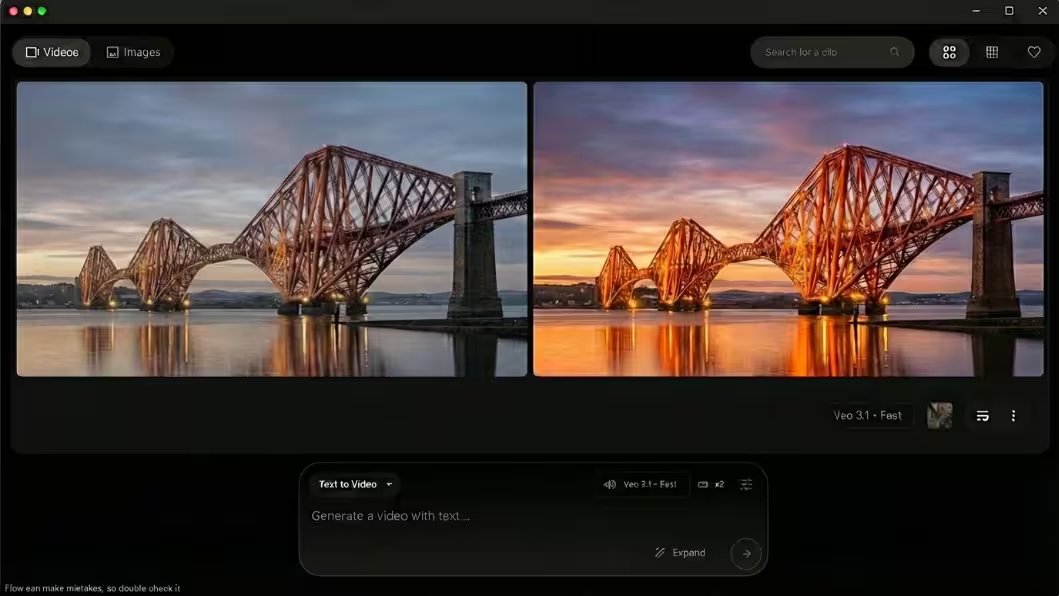
In our studio’s extensive testing, we have learnt that the recent UI updates to Google Flow dramatically optimise our commercial production pipeline, especially now that the redesigned interface foregrounds image and video creation while introducing a more flexible, grid-based asset view that keeps entire campaigns visually coherent from brief to final export.
We wholeheartedly welcome the structured timeline interface and robust asset management system, which echo many of the improvements highlighted in Google’s own overview of new ways to create and refine content in Google Flow, because they allow producers, art directors, and editors to collaborate in a single, shared workspace instead of juggling folders and exports across multiple apps.
Instead of constantly downloading files between disparate tools, our designers now stay completely immersed in the ecosystem, using Collections and clip views to organise iterations and variants.
Something we have really appreciated is the the ability to seamlessly extend a video clip and maintain strict character consistency has saved our team hours of manual rendering and compositing.
For instance, when a generated commercial clip ended abruptly, we used Flow’s Scene Builder and its dedicated Extend function to predict and append new frames that continue the action naturally, following the same workflow outlined in Google’s guide to generating and refining videos using Flow’s timeline and Extend feature, which produced a flawless transition without resorting to time-stretching or awkward crossfades.
Pro Tips: How Can I Get the Most Out of Google Flow?
Integrating a cutting-edge platform into an existing agency pipeline requires a strategic approach. Here are our proven tactics to maximise your daily output and visual quality.
- Start with High-Quality Ingredients: Always generate your foundational images using Nano Banana 2 before rendering video. This anchors the Veo 3.1 model and significantly reduces visual hallucinations.
- Use the Expand Feature Intelligently: When adjusting aspect ratios, use the generative expand tool to infer context and build new scenery, rather than aggressively cropping your primary subject.
- Refine with Object Removal: Mask out distracting background artefacts post-generation using the intuitive pencil tool, ensuring your final deliverable looks polished and professional.
Exploring the Broader Google Labs Ecosystem
Google Flow does not operate in a vacuum; it sits proudly alongside a suite of experimental tools hosted within the Google Labs FX platform.
By combining Flow with companion applications like MusicFX, you can generate continuous, royalty-free background scores that perfectly match the mood of your visuals.
Linking these disparate tools allows you to conceptualise, storyboard, and score an entire campaign strictly within the Google AI framework. It transforms a novelty experiment into a fully-fledged, professional production suite.
Seamlessly Blending Flow into Your Creative Projects
To prevent AI from feeling like an isolated gimmick in your pipeline, you need to anchor Flow firmly within your existing commercial operations by assigning it a clear role in pre-production rather than treating it as a novelty add-on.
We highly recommend using Flow primarily for storyboarding and animatics during the early stages of a campaign, where you can rapidly translate scripts and mood-boards into moving visuals in a way that mirrors how agencies are already using AI storyboard tools to cut pre-production time and achieve faster client approvals.
In practice, this means generating quick, cinematic visualisations to pitch concepts to clients before committing thousands of pounds to expensive physical shoots, a workflow that aligns closely with how Flow is being positioned as an AI-powered platform for storytellers and filmmakers to create instant previews and test campaign ideas before going on set.
Once the client signs off on the aesthetic, you can export these high-fidelity AI clips and composite them alongside traditional live-action footage in your preferred NLE, treating them as you would pre-vis or animatic plates; for a concrete, production-focused example of this type of hybrid workflow in action, it is worth studying how creators are combining Google Flow with traditional editing tools to build product commercials end to end.
It showcases the practical steps involved in moving from AI-generated sequences to polished, broadcast-ready ads.
By defining Flow’s place as a pre-visualisation and pitching tool that feeds seamlessly into your existing editing and compositing stack, you maintain creative control, reassure clients that AI is augmenting rather than replacing production, and keep your projects grounded in real-world deliverables rather than speculative tech demos.
Conclusion
Adapting to Google Flow requires a strategic shift from static prompt generation to a dynamic, directorial mindset. By leveraging Nano Banana 2 for your foundational images and mastering Flow’s cinematic controls, you can drastically optimise your video production pipeline.
As the broader Google Labs ecosystem continues to expand, early adopters who integrate these tools seamlessly will undoubtedly secure a massive competitive advantage.
Want to get the most out of Nano Banana? Our Free Nano Banana Prompt Guide can help you find the perfect image or video prompt.